Undo Recent Actions
Kanera replaces many confirmation dialogs with a short Undo window. The item changes or disappears immediately, and a toast in the lower-right corner names the action and provides Undo for ten seconds.
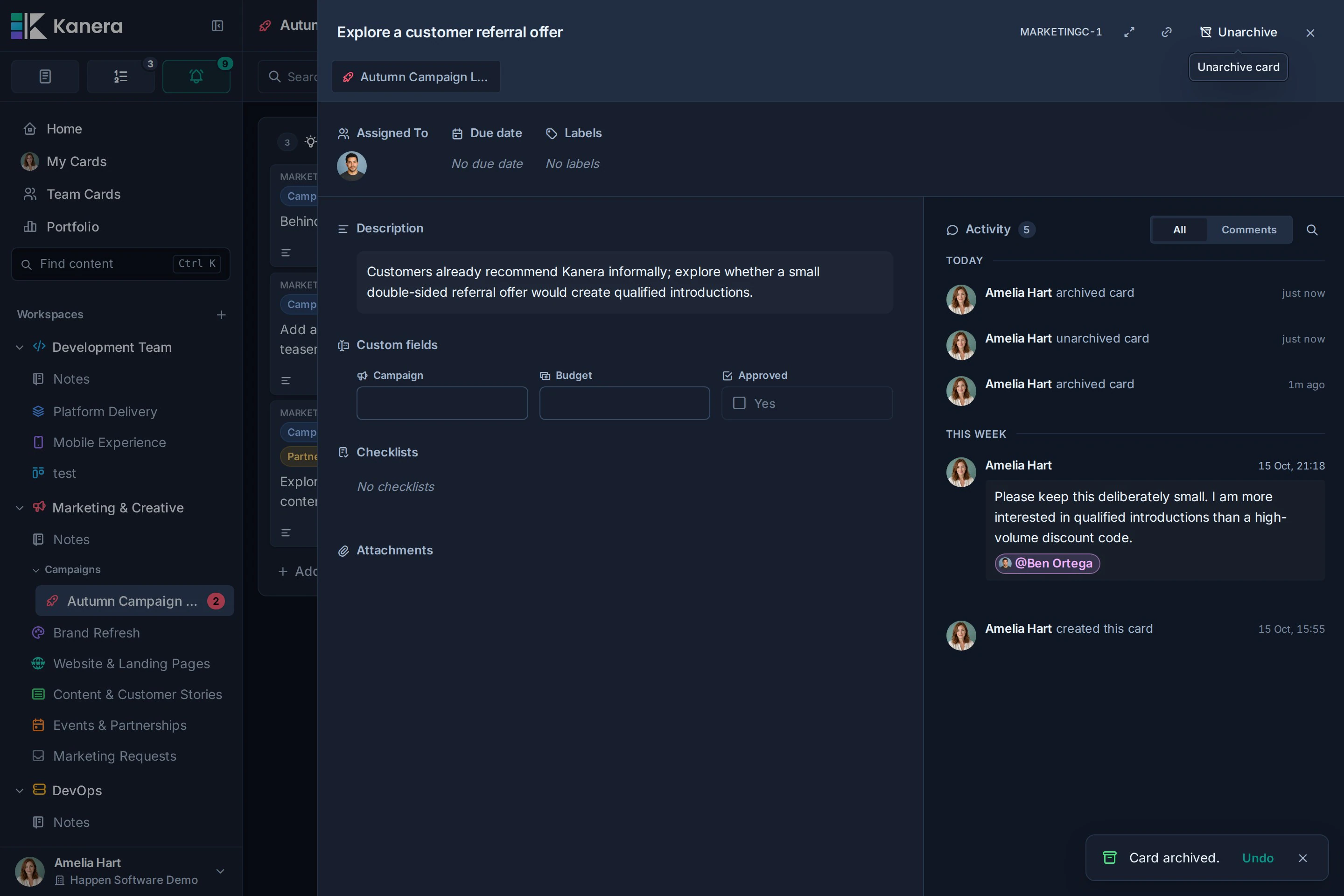
Select Undo before the toast closes to reverse the action. Selecting the toast's close button accepts the action immediately. If the toast expires, or you reload or close Kanera, the action is committed.
Undo and redo dependency-map edits
The Dependencies view has its own history for relationship additions and removals. Ctrl/Command+Z undoes your latest map edit; Ctrl/Command+Shift+Z redoes it. The edit toast also offers Undo or Redo.
That history holds up to 50 of your own changes for the map visit and clears redo when you make a new edit. It is separate from the ten-second archive and delete window described below.
Actions you can undo
Undo is available after:
- Archiving one card, several selected cards, or all active cards in a list.
- Deleting a card or note attachment.
- Deleting a Note, including its sub-notes.
- Deleting a private Scratchpad page.
- Deleting a list, custom field, checklist template, card label, or automation from workspace settings.
- Removing a member from a board or workspace.
- Removing an accepted guest's access to a board.
The toast includes useful context where the impact is wider. For example, deleting a list names how many cards would also be deleted, and deleting a parent Note states that its sub-notes are included.
Archive actions and delete actions
Card archives happen immediately so other connected Kanera sessions stay current. Undo sends a second action that restores the archived card or cards. If the Undo window has already ended, archived cards can still be restored from the Archived filter during the archive-retention period.
For supported permanent deletions and access removals, Kanera first hides the item locally and waits to send the delete until the Undo window ends. Undo restores the item without deleting it from the server.
If Kanera cannot complete an undo or deferred delete, it shows a follow-up message. Refresh the page to confirm the server's current state.
What Undo does not cover
The toast is not a general change history. Routine edits such as changing a title, due date, field value, or description do not create an Undo toast. Rich-text editors have their own editing history, while board deletion and other actions that still show a confirmation dialog must be reviewed before you confirm them.