Home
Home is the personal starting point in Kanera. It opens on the work you chose to do next, then combines deadlines, recent projects, and progress in one view.
Home shows only information relevant to the signed-in person. Use Global Work when you need the full set of My Cards or Team Cards reporting.
Start from an empty organisation
If you select Skip for now during first-time setup, Home opens without creating a workspace or board. Organisation administrators see Welcome to Kanera with these options:
- New standalone board opens the direct board-creation flow.
- Create workspace opens guided workspace setup, including a starting template and shared lists, fields, and labels.
- The agent connection card explains how to connect an AI agent and let it create and configure the starting structure. Agent access depends on your plan.
These actions remain available until you create or gain access to a board. Skipping onboarding does not create a workspace and does not prevent you from returning to guided setup later.
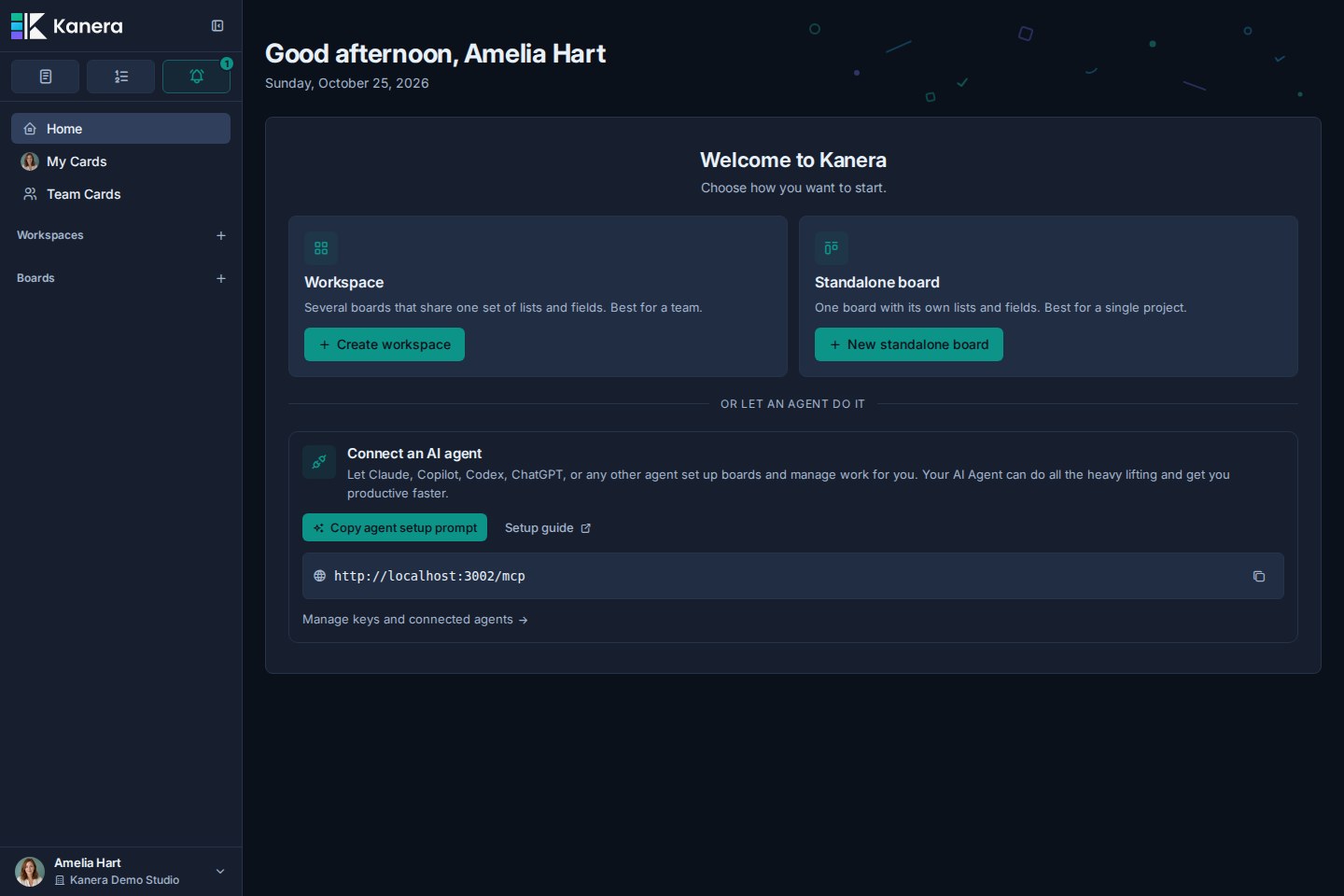
If a non-admin has no accessible boards, Home instead asks them to contact an administrator. Accounts with a standalone board, a guest board, or a pending board invitation can still enter the app even when they do not belong to a standard workspace.
See First-Time Setup for the board and workspace choices.
Focus tiles
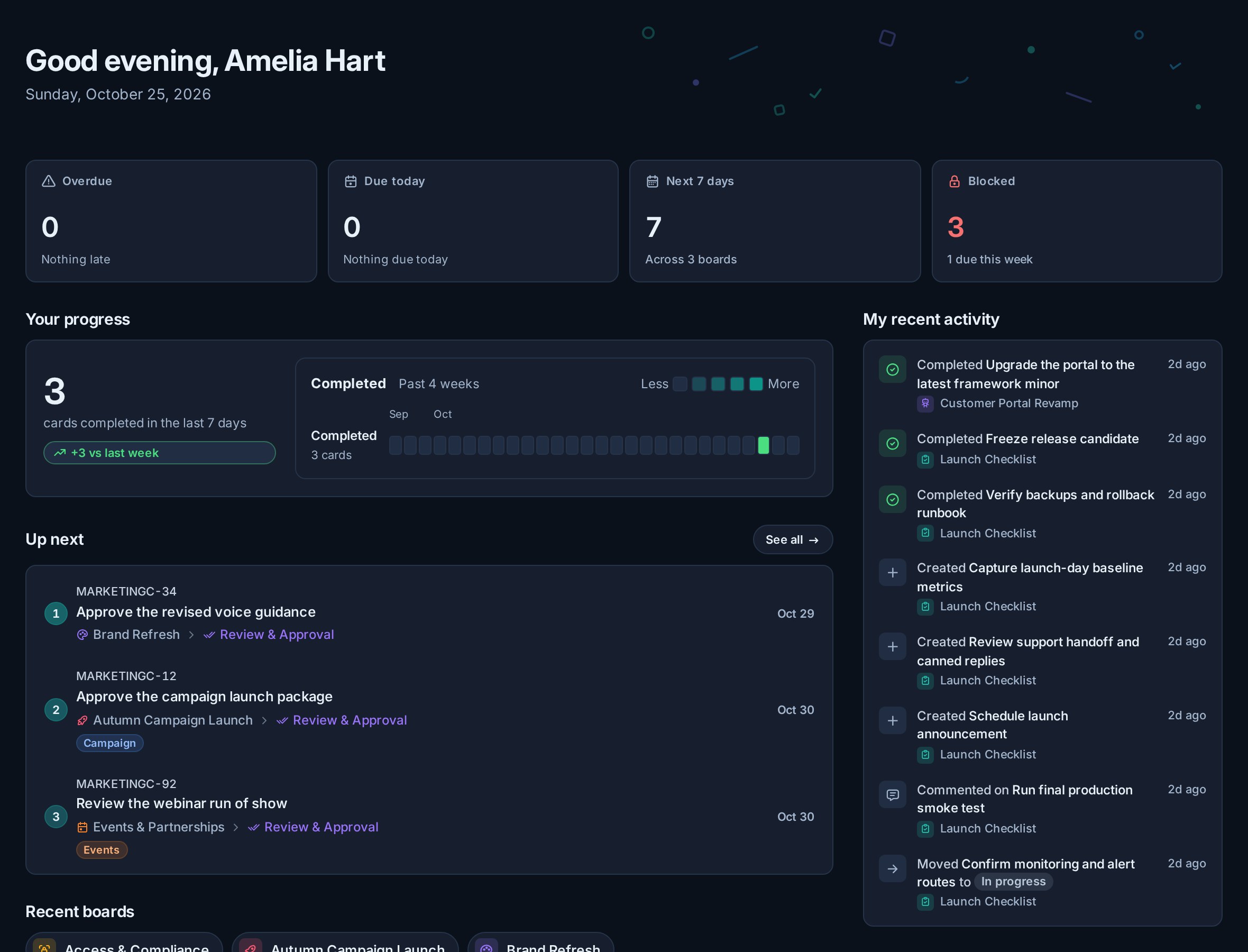
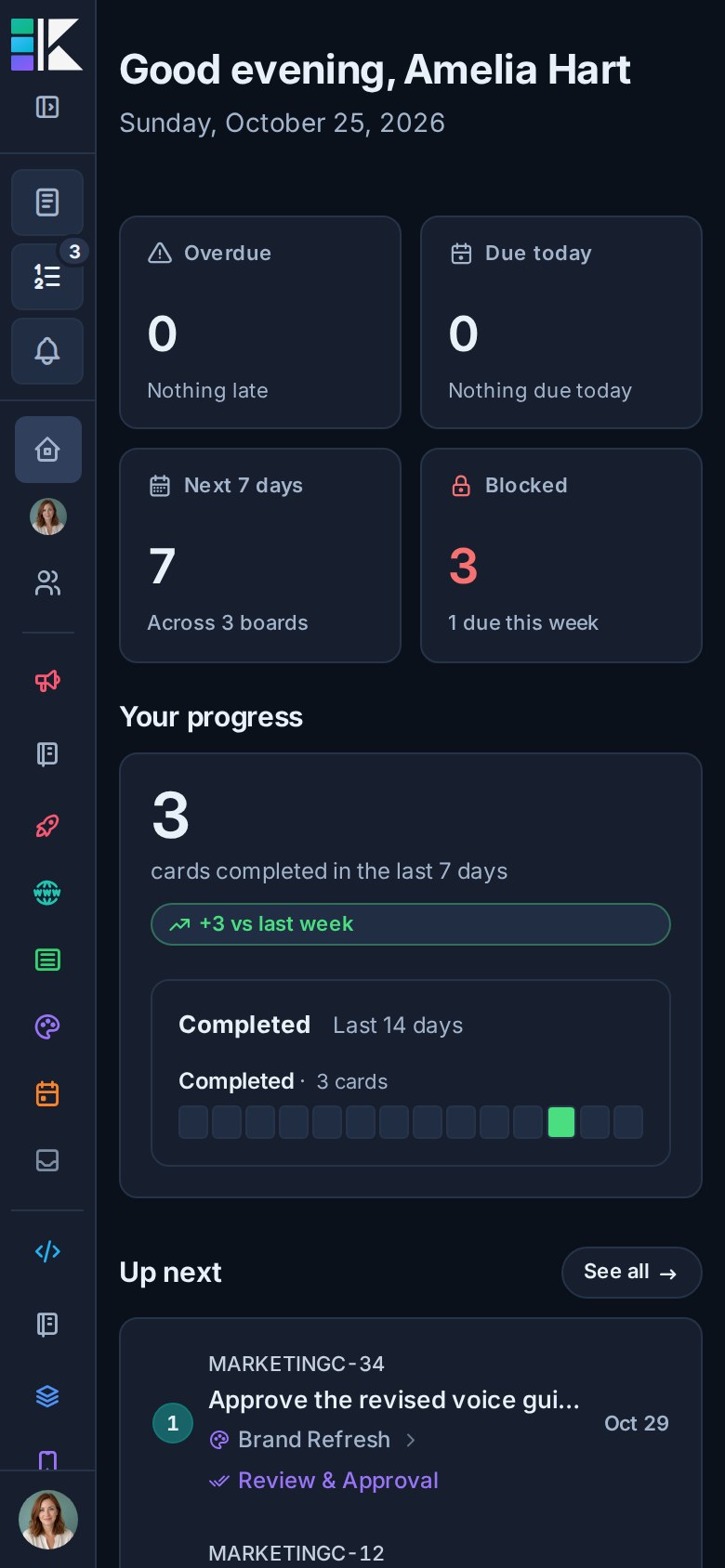
Four tiles summarize the day:
| Tile | What it counts |
|---|---|
| Overdue | Active cards and checklist items assigned to you whose due date has passed. |
| Due today | Assigned cards and checklist items due today. |
| Next 7 days | Assigned dated work due from today through the next seven days, excluding overdue work. |
| Done this week | Cards and checklist items you completed in the rolling seven-day window. |
Select Overdue, Due today, or Next 7 days to filter Your week below. Select the active tile again, or clear the filter, to restore the full agenda.
Up next
Up next shows the first cards in your personal work order. The number on each row is its position in the full queue, and the board, list, and due date remain visible so the instruction keeps its project context.
Use the numbered Up next button beside notifications to open the full personal queue from Home or any other page.
Use See all to open My Cards, where you can:
- Add any active card assigned to you.
- Drag cards into a new order.
- Use the row controls for precise moves.
- Remove a card from Up next without changing the card itself.
The same rank appears on cards in My Cards Board and Table displays. Completing, archiving, or unassigning a card removes it from the active queue.
See Up next for all queue controls and the Team Cards management workflow.
Reminders
When you have set reminders on cards, Home lists the ones still to come under Up next, soonest first. Each row shows the card, its board, and when the reminder fires. Select a row to open the card, or × to clear the reminder. Reminders are often on cards you do not own, so this list can include work that never appears in Your week.
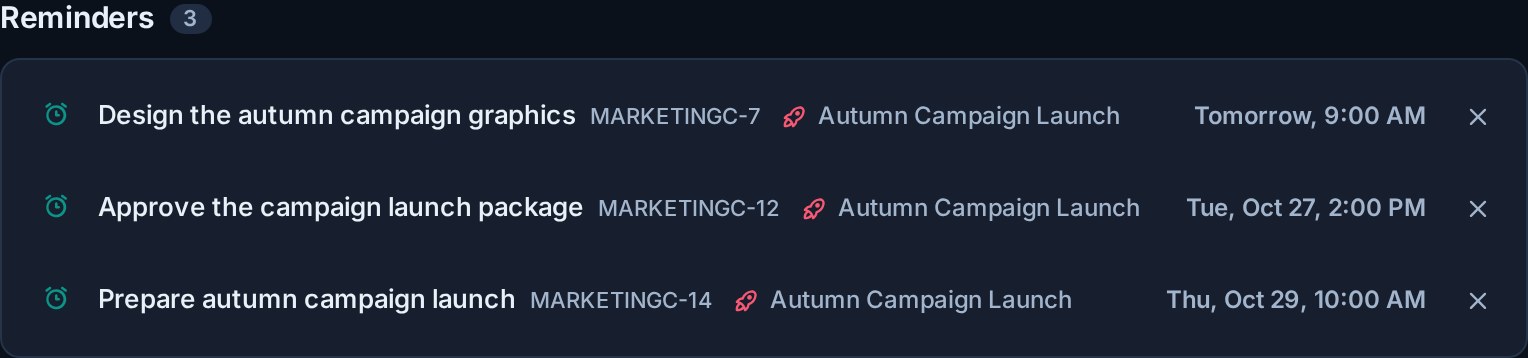
The section is hidden when you have no pending reminders, and it updates as reminders are set, cleared, or fire on any of your devices.
Recent boards
Recent boards shows up to five recently opened boards. It is useful on desktop and especially on mobile, where the main sidebar may be behind the navigation drawer.
Recent boards keep their real icon and colour so similarly named projects remain easy to distinguish.
Your week
The weekly agenda combines assigned cards and assigned checklist items with due dates. It groups them into:
- Overdue.
- Today.
- Tomorrow.
- Later this week.
Each row keeps the context needed to act:
- Card or checklist-item title.
- Parent card for a checklist item.
- Board and workspace.
- Workflow list.
- Labels.
- Due date and time slot.
Select a row to open its card. Kanera limits the agenda to the next seven days so Home stays focused. Undated assigned work remains available in My Cards.
When the agenda is empty, Home shows that you are clear for the week. This is different from having no boards, which shows the getting-started actions above for organisation administrators.
Your progress
The progress section combines completed cards and completed checklist items.
It shows:
- Total completed in the last seven days.
- The difference from the previous seven days.
- A daily completion strip for the last 28 days.
- A 14-day strip on narrow mobile screens.
The trend uses the viewer's local day boundaries so late-night completions land on the correct date.
Live and offline behavior
Home refreshes when assignments, due dates, completions, checklist items, board access, or relevant notifications change. It also refreshes periodically while visible so due-date buckets stay correct across time slots and midnight.
When Kanera cannot reach the server, Home can show the last saved daily snapshot with the time it was cached. Reconnect to refresh the agenda and progress totals.
Home compared with My Cards
| Need | Use |
|---|---|
| See the first cards in your chosen work order | Home |
| Add, remove, or reorder your full Up next queue | My Cards |
| Triage overdue and upcoming personal work | Home |
| See every card you set a reminder on, soonest first | Home |
| Return to a recent board | Home |
| Review personal completion momentum | Home |
| See all of your assigned cards, including undated work | My Cards |
| Group, sort, edit, or export cross-board work | My Cards |
| Use a cross-board Calendar or Work Done view | My Cards |