Comments and Mentions
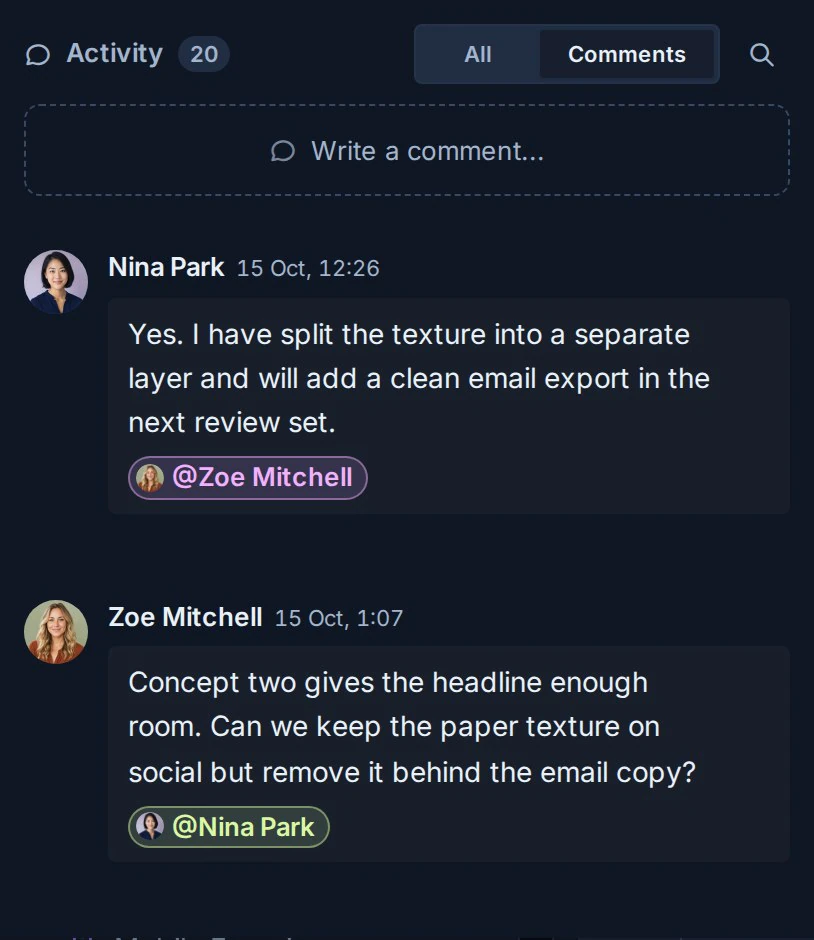
Comments keep questions, decisions, and updates attached to the card they concern.
Add a comment
- Open a card.
- Select the Activity tab.
- Write the comment.
- Submit it.
People who can view the card can read its comment history. Your role determines whether you can add new comments or change the card itself.
Mention a teammate
Type @ followed by the person's name, then choose the correct member from the suggestions. A mention creates a direct attention signal for that person, subject to their notification settings.
An AI agent or an API integration writes the same mention in Markdown as @[Display Name](kanera-user:<userId>), using the person's user ID from the workspace member list. Plain @name text notifies no one.
Use a mention when somebody needs to respond or act. Use watchers when somebody wants ongoing updates without being named in every discussion.
React to a comment
Use a thumbs-up reaction to acknowledge a comment without writing another one.
- Find the comment in the Activity tab.
- Select the thumbs-up control below it.
- Select it again to remove your reaction.
The chip shows how many people have reacted. Hover it to see who they are. Reactions appear for everyone on the board immediately.
Reactions need edit access to the card, and you cannot react to your own comment. Observers do not see reaction controls or counts. Reacting also needs a live connection, so the control is unavailable while Kanera is offline.
Review activity
The Activity tab combines discussion with important card history. This makes it possible to understand both what people said and what changed.
Depending on the activity, Kanera can show changes to assignments, due dates, completion, descriptions, fields, labels, lists, and other card state.
Find an older comment
Use global search to search accessible comments by their text. Select a comment result to return to its card context.
Troubleshooting
| Problem | What to check |
|---|---|
| A teammate cannot be mentioned | Confirm that the person can access the card's workspace or standalone board. |
| A mentioned person was not alerted | Ask them to review their notification type and delivery-channel settings. |
| Commenting is unavailable | Confirm your board role and network connection. |
| The thumbs-up control is missing | Reactions need edit access to the card. You cannot react to your own comment, and observers do not see reactions. |
| A reaction does not save | Check the connection indicator. Reactions need a live connection to the server. |
| An older item is not visible | Continue through the activity history or search for distinctive comment text. |