Notifications
Notifications help you keep track of important work without watching every board manually.
Kanera uses notifications for direct attention signals such as assignments, mentions, comments, watched work, overdue cards, and overdue checklist items. They always appear in the notification drawer, and can also be delivered by email, browser push, ntfy, Gotify, or your own webhook, depending on your account, browser, and organisation settings.
Card activity is also useful as an audit trail. For example, when a card description changes, Kanera can show what content was added or removed so teams can review the substance of the change, not just that an edit happened.
What notifications are for
Use notifications as a personal attention feed.
They help answer:
- What changed that needs my attention?
- Which cards was I assigned to?
- Where was I mentioned?
- What happened on cards or boards I am watching?
- Which assigned cards or checklist items are overdue?
Notifications work best when teams use assignment, comments, due dates, and watchers intentionally. The goal is not to notify everyone about everything. The goal is to keep the right people aware of work they own or have chosen to follow.
Main parts
| Area | Use |
|---|---|
| Configuration | Choose channels, sound, and per-type notification preferences. |
| Personal Delivery Channels | Send your notifications to ntfy, Gotify, or your own webhook. |
| Workspace Rules | Pause or narrow delivery for one workspace or standalone board. |
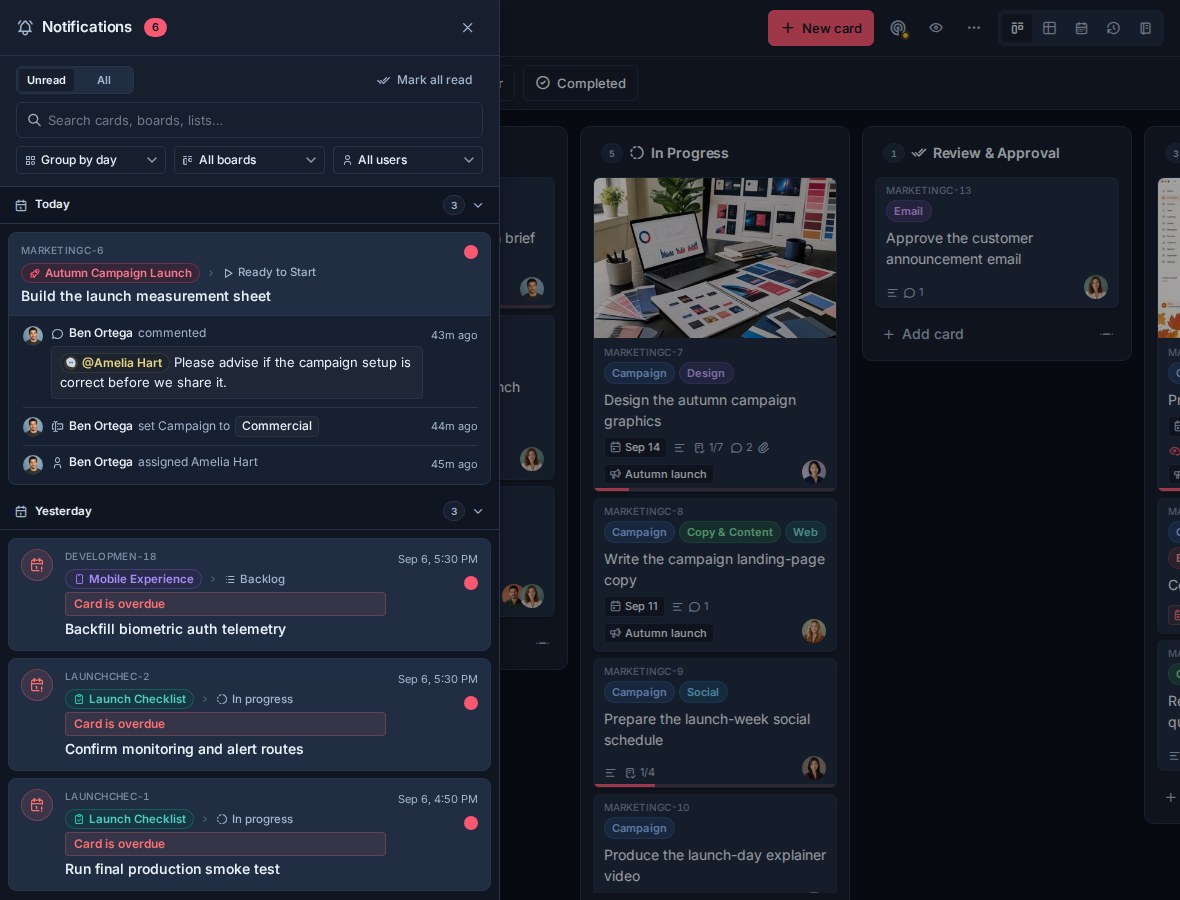
| Receiving Notifications | Use the notification drawer to read, filter, open, and clear notifications. |
| Watchers | Follow a board or card so you receive updates even when you are not assigned. |
Notification reasons
Kanera creates notifications for several kinds of attention:
| Reason | What it means |
|---|---|
| Assigned | You were assigned, or activity happened on a card assigned to you. |
| Mentioned | Someone mentioned you in a comment. |
| Watching | Activity happened on a card or board you watch. |
| Overdue | A card you are connected to became overdue. |
| Checklist item overdue | A checklist item assigned to you became overdue. |
Delivery channels
Kanera has one in-app feed, plus five ways a notification can reach you outside the app:
| Channel | Use |
|---|---|
| Notification drawer | The in-app feed for unread and recent notifications. Always complete. |
| Email to your account address, for the notification types you choose. | |
| Browser push | Desktop or phone alerts from your browser, once push is switched on and the browser has permission. |
| ntfy | Sends to an ntfy topic, on the public service or your own server. |
| Gotify | Sends to your own Gotify server, using an application token you create there. |
| Personal webhook | Sends signed JSON to an HTTPS endpoint you own. |
Each person turns a channel on or off for their account, then chooses which notification types that channel may deliver. Push also depends on the organisation push setting and the browser permission for the device being used. ntfy, Gotify, and personal webhooks are set up in Personal Delivery Channels and need Pro or a Pro trial.
The drawer is never affected by these settings. It always shows the complete feed, so quietening a channel hides interruptions without losing history.
Scoping delivery per workspace
Account settings are your defaults. Workspace Rules add exceptions for one workspace or standalone board, so a busy internal board can be paused or reduced to mentions only while a client project still reaches your phone.
Rules can only narrow delivery. They never enable a channel or type that is off in your account defaults, and they never change the in-app drawer.
Team notifications in chat
Notifications are personal. When a whole team or a stakeholder group should see work moving, use Chat Destinations to post workspace card activity into Slack, Discord, Telegram, or Zulip.
Chat destinations are configured by a workspace admin, post for everyone in the channel regardless of assignment, and are independent of personal notification settings. Like personal ntfy, Gotify, and webhook channels, they need Pro or a Pro trial. The in-app drawer, email, browser push, watching, and workspace rules are available on every plan.