Agent runs and attribution
When an AI agent changes work in Kanera, the record says so. Its comments, card changes, and activity rows are labelled with the agent's name and the person it acted for, so nobody mistakes agent output for something a teammate typed. While an agent is working a card, it can open a run: a live marker on the card tile that tells the rest of the team the work is already being done.
How agent work is attributed
Kanera records who performed an action based on the credential behind it.
| Connection | How its work appears |
|---|---|
| OAuth, including device code | As the person who connected the agent, with a via <agent> badge. The agent name is the name the AI client registered with, such as Claude. |
| Personal API key | As the key's owner, with no agent label. A script you run with your own key reads as you. |
| Unattended agent or workspace/board API key | Under the connection or key name, not as a person. |
The distinction is the interactive OAuth grant, not the transport. An agent using the Kanera CLI authenticates with an API key, so its comments and card changes read as the key's owner or as the key, never via <agent>. See Work with coding agents from the terminal for how that affects a terminal workflow.
The via badge
In a card's activity feed, an agent-written comment keeps the person's name and avatar and adds a via <agent> badge beside it. Hover the badge to see who wrote the comment and for whom, for example Written by Claude on behalf of Amelia Hart. Card changes an agent made carry the same badge, with a Done by … on behalf of … tooltip.
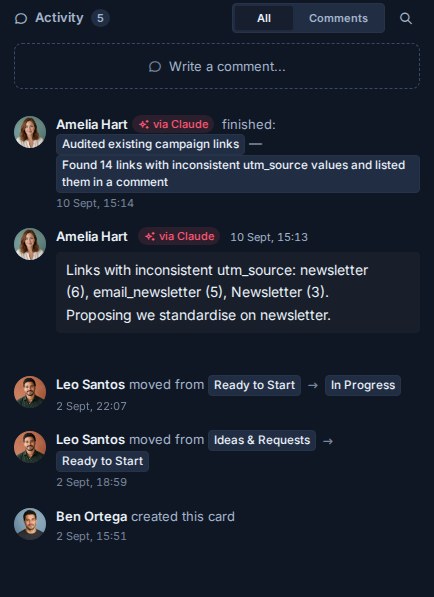
Agent work is still subject to the connected person's role. Kanera checks their current access on the target board for every write, so an agent cannot do anything its person could not.
Agent runs
A run is one agent's working session on one card. It is how an agent announces "I am on this" before starting multi-step work, and how it reports progress and the outcome.
Start a run
An agent starts a run with the runs.start MCP tool, giving the card, a short title for the work, and optionally a longer progress note and a link where a person can follow along, such as a pull request or session log. From a shell, the same tool is kanera call runs.start. Integrations can use POST /api/v1/cards/{cardId}/agent-runs in the public API.
Starting or updating a run needs Editor access on the card's board and a write-capable credential. A read-only key or an Observer cannot open a run.
Before starting, an agent can call runs.list to check whether another agent is already working the card. It returns live runs by default, or the card's full run history with includeEnded.
The chip on the card tile
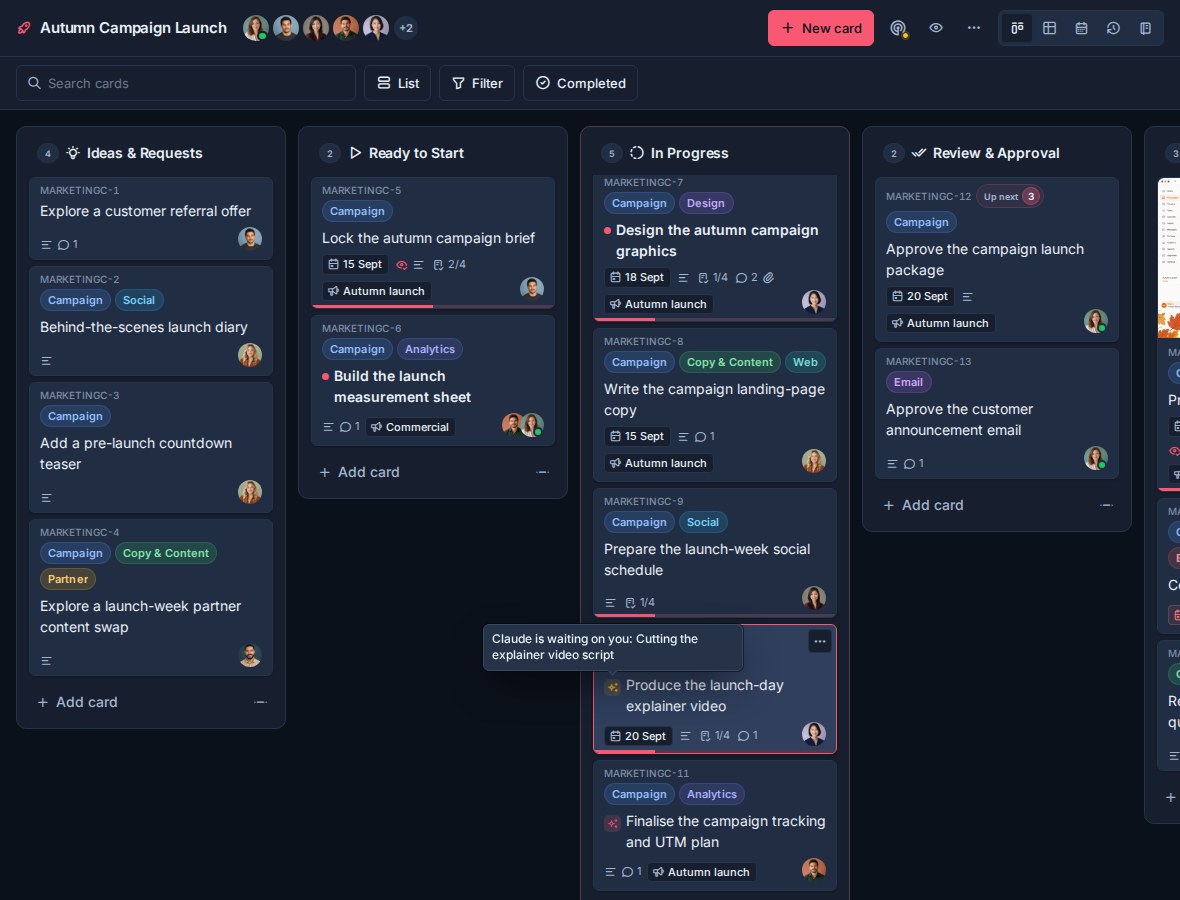
While a run is live, the card tile shows a small sparkles chip before the title. Hover it, or read it with a screen reader, to see the agent and the work:
- Working: <agent> is working: <title>
- Waiting on a person: <agent> is waiting on you: <title>, and the chip turns amber.
If more than one run is live on the card, the label names the first and adds (+N more). The chip updates in real time for everyone viewing the board, and disappears when the run ends.
Run states
| Status | Set by | What it means |
|---|---|---|
running | The agent | Working. Every run starts here. |
blocked | The agent | Waiting on a person, such as a question or an approval. The chip turns amber and card detail shows Waiting on you. |
succeeded | The agent | Finished. Ends the run. |
failed | The agent | Could not complete the work. Ends the run. |
cancelled | The agent | Stopped deliberately. Ends the run. |
stalled | Kanera | The agent stopped reporting. |
running and blocked are live and show the chip. The agent moves between them, and reports progress, with runs.update. succeeded, failed, and cancelled end the run permanently: an ended run cannot be changed, and a further update is rejected.
Setting a run to blocked changes the chip. It does not send anyone a notification by itself. If the agent needs a specific person, it should also leave a comment on the card saying what it is waiting for.
Stalled runs
Every runs.update call counts as a heartbeat, including one that changes nothing. Kanera checks for silent runs every minute and marks a live run stalled once it has gone fifteen minutes without a heartbeat. The runs.update tool tells agents to report at least every ten minutes.
A stalled run no longer shows the chip, so a crashed agent cannot leave a card looking busy. The card's activity feed records it as Kanera marking the agent's run as stalled. A stalled run is not closed, though: the agent can come back and finish it with a terminal status, or set it to running to resume.
Runs in card detail and activity
Open a card with a live run and an Agent runs section appears directly under the description. Each run shows its title, the agent, its status (Working or Waiting on you), when it last reported, and its latest progress note.
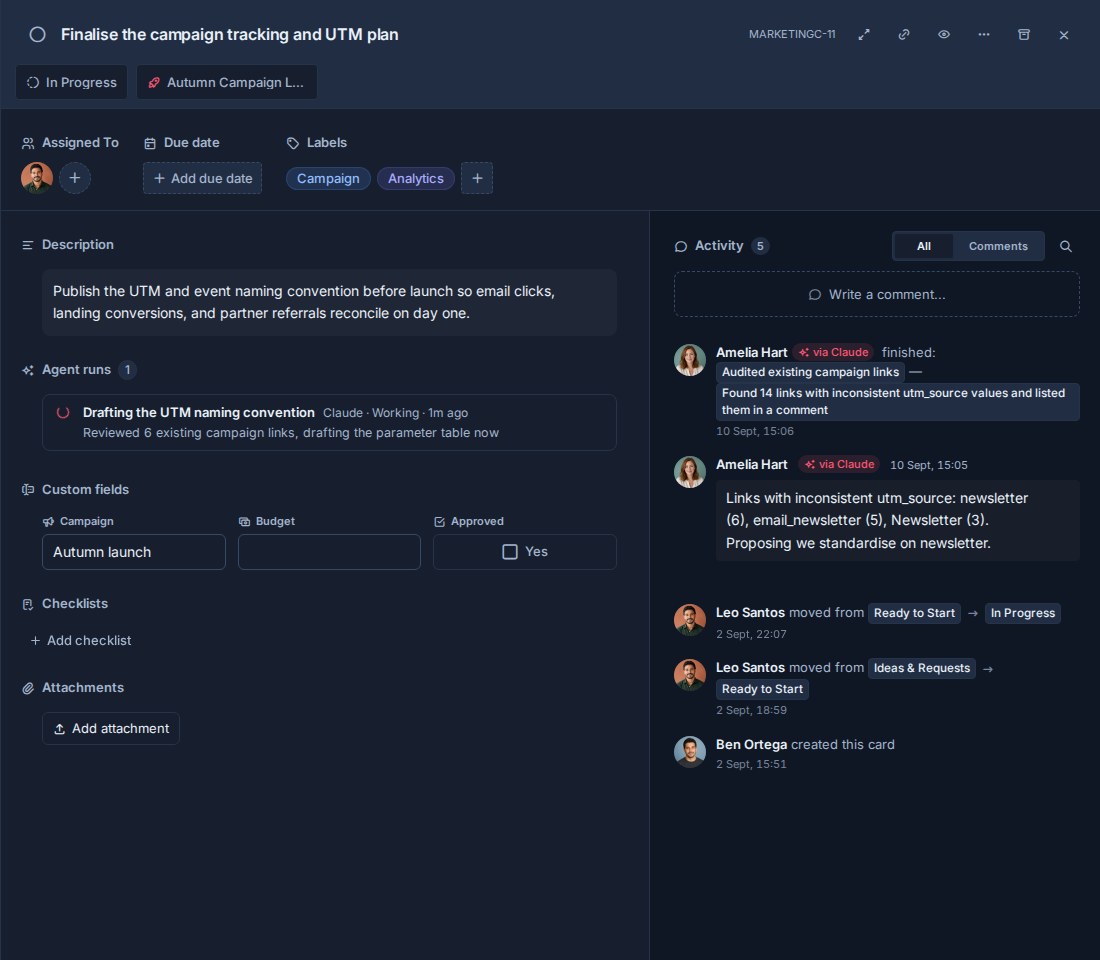
Only live runs appear in that section. When a run ends, it disappears from it and the outcome becomes a row in the card's activity feed, such as finished: <title> — <closing summary>, or failed or cancelled for the other endings. The closing summary is the note the agent left when it ended the run, so ask agents to make it a useful record of what happened.
The start of a run is recorded, but the card feed does not repeat it; the live section is where in-flight work shows.
Notifications about agent work
Kanera normally leaves you out of notifications about your own actions. Work your agent did through OAuth is the exception: you are notified about it as you would be about a teammate's work on a card you watch or are assigned to, because delegating the work is not the same as watching it happen.
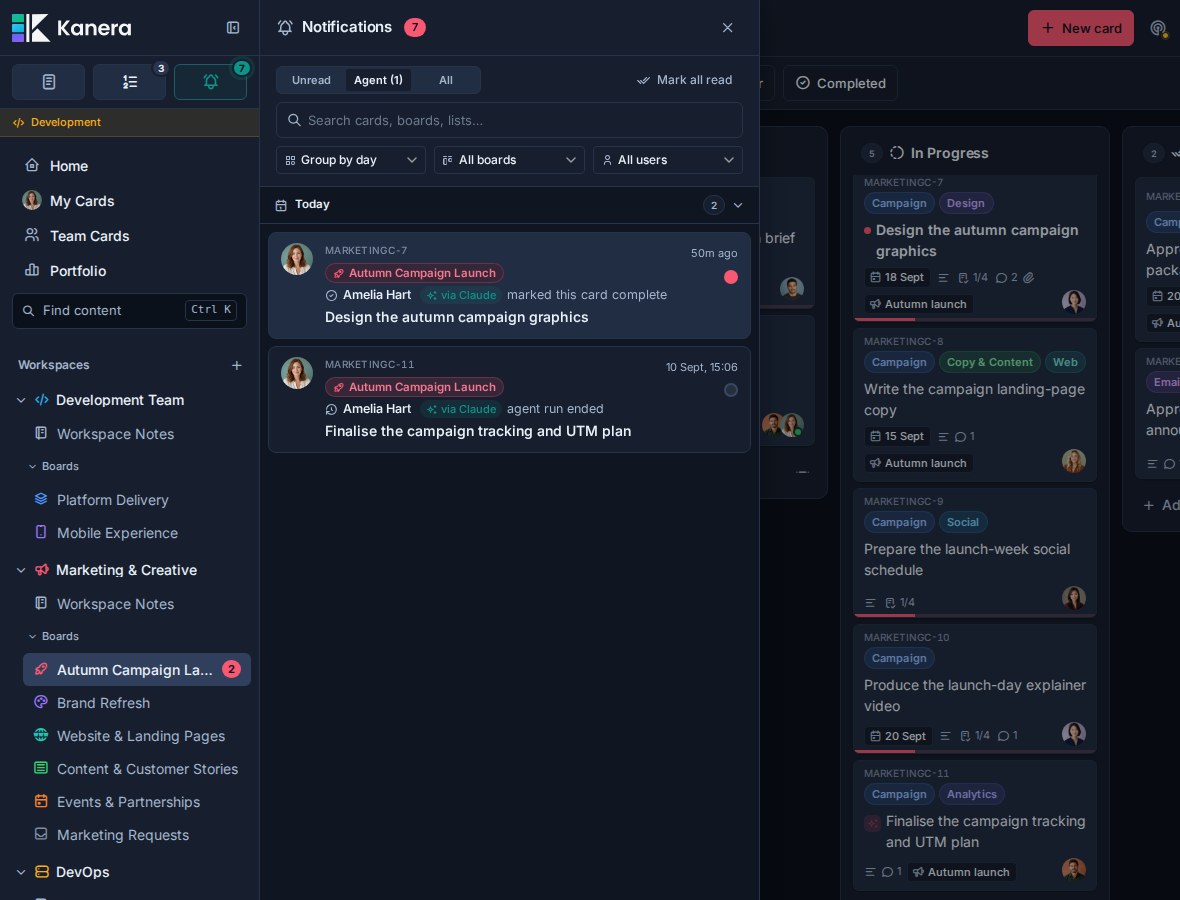
Once an agent has acted for you, the notification drawer gains an Agent tab beside Unread and All. It lists what your agents did, unread notifications plus those read in the last seven days, and its label carries the unread count, such as Agent (1). Each notification carries the via <agent> badge. When you group notifications by user, your agent's work forms its own group labelled <person> via <agent> rather than merging into yours.
Run events can appear here too: a notification reads agent run ended when a run on a card you follow finishes.
Agent work in Work Done
The Work Done view keeps agent output separate from people's own effort. A row an agent produced shows a sparkles mark beside the person, and its tooltip reads Worked on by <person> via <agent>. The day summary's avatar stack carries the same mark.
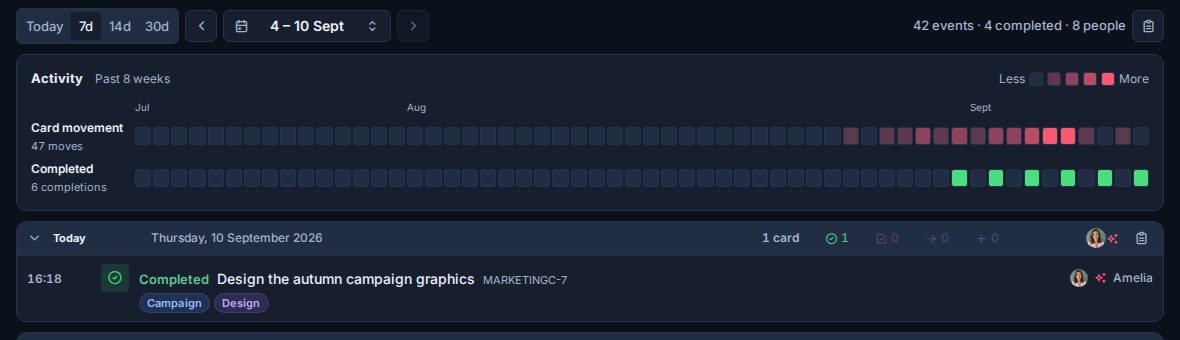
Agent rows are not counted as the person's own work. Filtering Work Done by a member shows only that person's own actions, so a week's delivery never quietly counts an agent's output as somebody's hours.
Finding agent activity
- Notifications: the Agent tab is the review queue for everything your agents did.
- One card: the card's activity feed shows via <agent> badges and ended runs. An agent can read the full run history with
runs.listandincludeEnded. - Integrations: webhooks deliver
agentRun:startedandagentRun:updatedevents for automations that react to agent work.
There is no board-wide filter for agent activity in the activity feed or Work Done.