Email and Notifications
Kanera's in-app notification drawer works with no configuration. Everything that leaves the server — email, browser push, and personal delivery channels — needs a decision from you.
Configure email
SMTP is optional, but recommended for invites, notifications, verification, and operational use.
SMTP_HOST=smtp.example.com
SMTP_PORT=587
SMTP_SECURITY=starttls
SMTP_PASSWORD=your-password
SMTP_FROM_NAME=Kanera
An organisation admin can also enter SMTP settings from Settings -> Organisation -> Integrations instead of using environment values. The settings page marks which source is in use.
Leave email verification disabled until outbound mail is confirmed working:
EMAIL_VERIFICATION_ENABLED=false
After email is working, you can set EMAIL_VERIFICATION_ENABLED=true to require verification for signup, invite signup, and email changes.
Email notifications
Once SMTP works, users manage their own email channel and per-type email preferences from Profile settings -> Notifications. No further server configuration is needed.
Browser push
- Confirm Kanera is served over HTTPS.
- Open Settings -> Organisation -> Integrations as an organisation admin.
- Enable Allow browser push for this organisation. This also prepares the shared web-push configuration that browsers need before anyone can subscribe.
- Ask users who want push alerts to open Profile settings -> Notifications, enable Allow push notifications, grant browser permission, and choose their per-type push preferences.
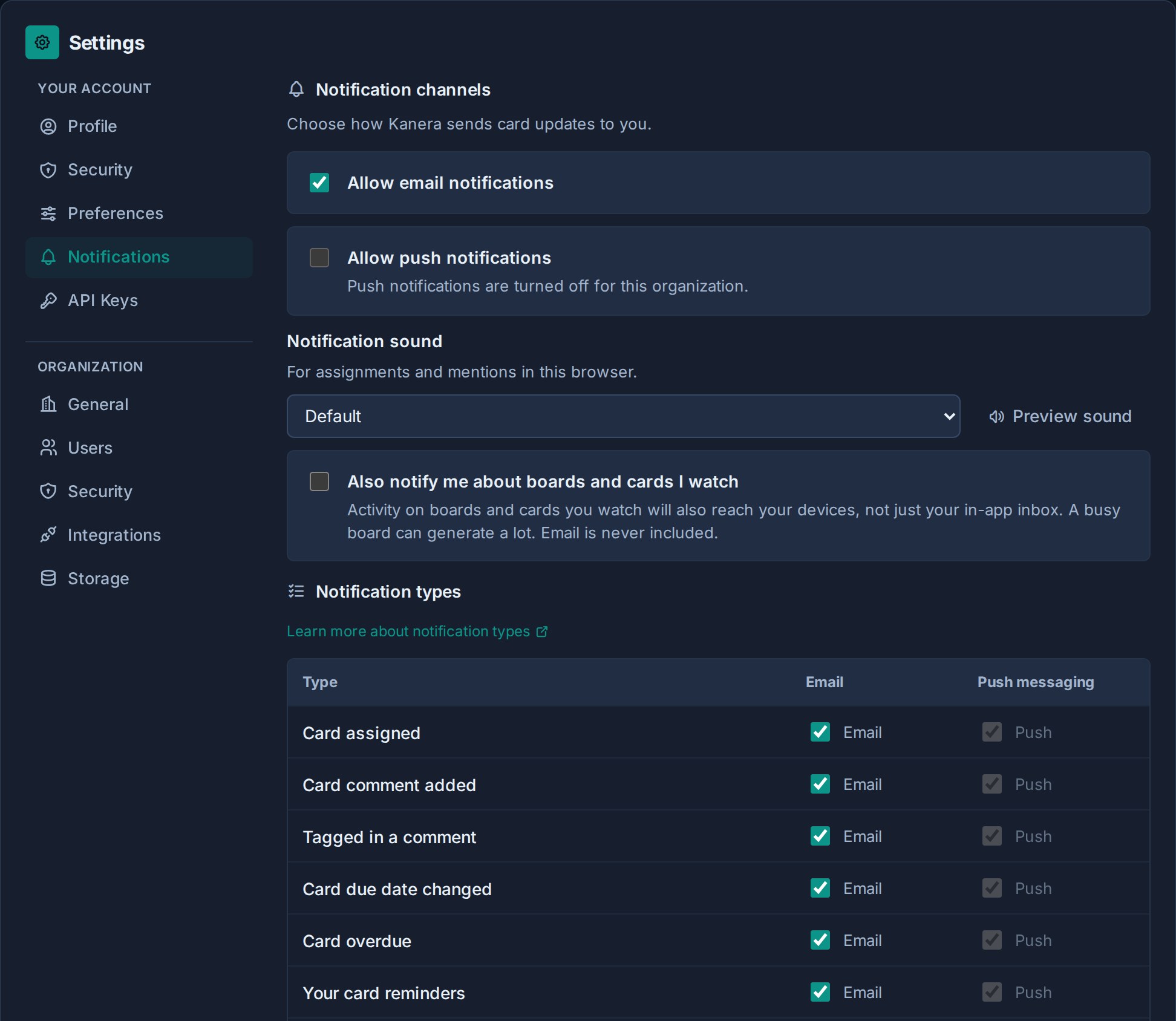
Push is device and browser specific. A user who wants alerts on multiple devices must enable push from each browser or installed PWA.
Push is switched off by default for both the organisation and each user, but it is the channel worth encouraging: an alert arrives while the work is current and leaves nothing in an inbox afterwards. See Configuration.
Personal delivery channels
Users can send their own notifications to ntfy, Gotify, or a personal webhook without any server configuration, as long as the destination is reachable over public HTTPS.
If your users run those services on the internal network, allow private receivers:
KANERA_ALLOW_PRIVATE_NOTIFICATION_DESTINATIONS=true
This permits http:// and private addresses such as loopback, RFC1918, CGNAT, and IPv6 ULA. Link-local and cloud metadata addresses, multicast, and other reserved ranges remain blocked. Leave it unset or false to require public HTTPS destinations.
A homelab or internal ntfy or Gotify server is often the whole reason to self-host, so this is usually the one notification setting worth changing. The notification settings page tells each user which of the two policies is active. See Personal Delivery Channels.
Chat destinations
Workspace admins can post card activity into Slack, Discord, Telegram, or Zulip from Workspace settings -> Integrations. That needs no server configuration beyond outbound HTTPS access.
Chat destinations and personal webhooks store their credentials encrypted with SECRETS_ENCRYPTION_KEY. Set it to a stable value distinct from JWT_SECRET, and do not change it after destinations exist. See Chat Destinations.