Self Host - Getting Started
This guide takes you from an empty server to a running Kanera you can sign in to.
It covers the parts every deployment needs: requirements, capacity, the environment file, starting the stack, and confirming it works. Optional pieces — the public API, MCP, email, storage, and backups — each have their own page, linked at the end.
Requirements
You need:
- A server with Docker and Docker Compose.
- A domain pointing at the server.
- HTTPS in front of Kanera, usually through Caddy, Traefik, nginx, Dokploy, or a cloud load balancer.
- SMTP credentials if you want Kanera to send email.
- A plan for backing up PostgreSQL data and uploaded files.
Planning capacity
Kanera is lightweight at small-team scale. Its compose file does not set hard CPU or memory limits, and the migration service exits after startup. The default stack runs PostgreSQL, Valkey, two API replicas, a worker, the public API, MCP, and nginx.
Use these as starting points, then measure your own concurrent activity, files, integrations, and backup window:
| Typical team | Starting capacity | Local disk | Notes |
|---|---|---|---|
| Personal or lightly used | 1 vCPU, 1 GiB RAM | 10 GiB | Use API_REPLICAS=1 and leave the optional monitoring profile off. |
| 1 to 25 active users | 1-2 vCPU, 2 GiB RAM | 20 GiB | Comfortable for normal board activity, notifications, and light integrations. |
| 26 to 100 active users | 2-4 vCPU, 4 GiB RAM | 40 GiB | Adds headroom for concurrent activity, uploads, API traffic, webhooks, and database cache. |
| More than 100 active users | 4+ vCPU, 8+ GiB RAM | 80+ GiB | Load-test with representative data before launch, then scale API replicas and tune PostgreSQL from observed usage. |
These are planning baselines, not hard user limits or measured capacity guarantees. Concurrent activity matters more than the number of registered accounts. File volume and retention usually drive disk requirements more than Kanera itself. Keep database and uploaded-file backups outside the server's primary disk, and alert on disk growth.
The optional Prometheus, Grafana, Loki, Alloy, and exporter monitoring profile adds several processes. The deployment guide estimates roughly 0.7 to 1.5 GiB of additional memory, depending on log volume and dashboard usage. Budget that separately or run monitoring on another host.
For what each service does and which ones to expose, see Services and Routing.
Create the environment file
On the server, copy the example environment file:
cp .env.example .env
Set the required production values:
WEB_ORIGIN=https://kanera.example.com
COOKIE_DOMAIN=kanera.example.com
COOKIE_SECURE=true
KANERA_ENVIRONMENT=production

POSTGRES_PASSWORD=<openssl rand -hex 32>
JWT_SECRET=<openssl rand -hex 32>
MFA_ENCRYPTION_KEY=<openssl rand -hex 32>
MEDIA_SIGNING_SECRET=<openssl rand -hex 32>
SECRETS_ENCRYPTION_KEY=<openssl rand -hex 32>
Keep these secrets stable across redeploys. Changing JWT_SECRET signs users out. Changing MFA_ENCRYPTION_KEY invalidates enrolled authenticators and MFA challenges. Changing MEDIA_SIGNING_SECRET invalidates existing signed media URLs. SECRETS_ENCRYPTION_KEY protects stored integration secrets and should be distinct from JWT_SECRET.
Self-hosted mode is the default:
KANERA_DEPLOYMENT_MODE=self_hosted
Do not set hosted Stripe billing variables unless you are running a Kanera SaaS-style hosted deployment.
See Environment Reference for production settings and .env.full.example for every optional tuning value and default.
Start Kanera
Build and start the deployment:
docker compose up -d --build
The migration service runs pending database migrations once before api, worker, and public-api start. The MCP service starts after the public API health check passes.
Check the deployment
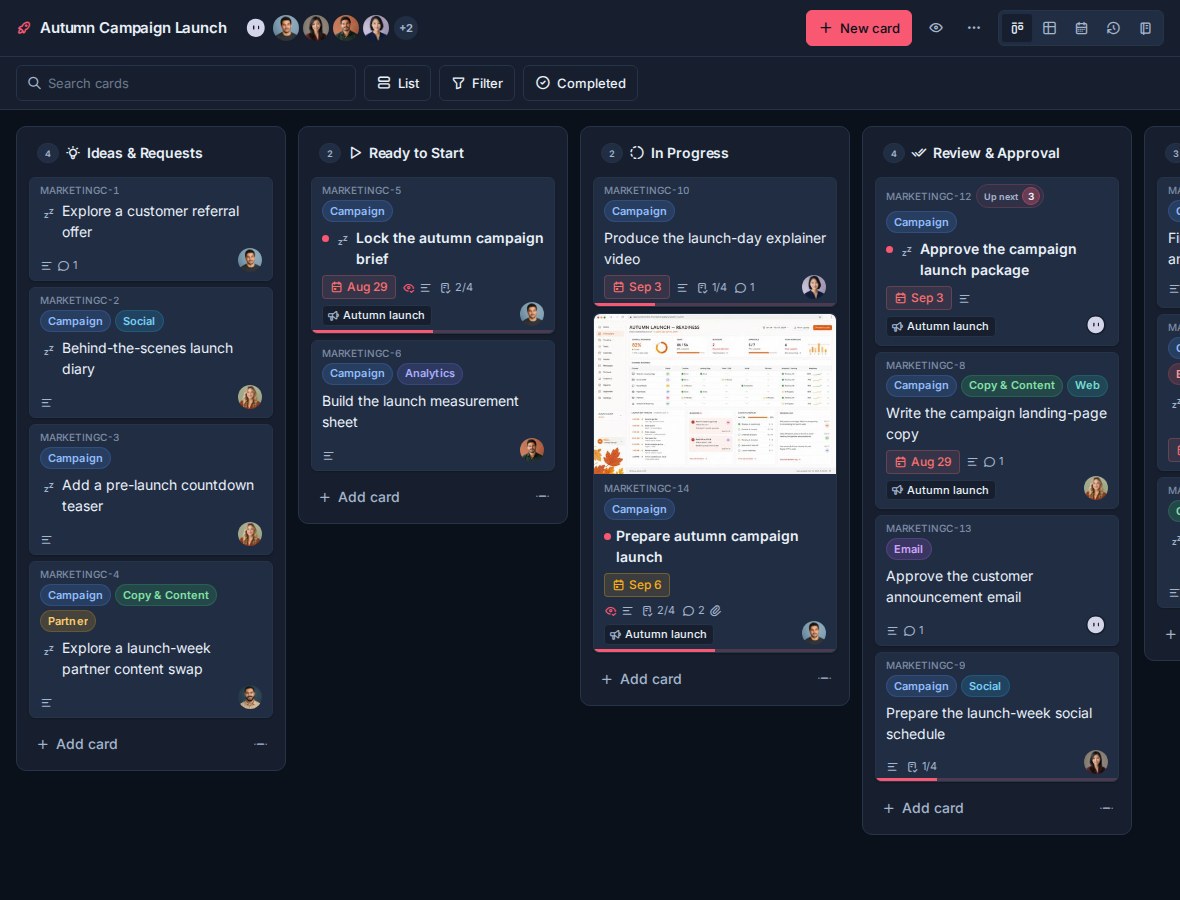
Open your web domain in a browser:
https://kanera.example.com
Useful checks:
docker compose ps
docker compose logs -f api
docker compose logs -f worker
docker compose logs -f public-api
docker compose logs -f mcp
Health checks:
curl https://kanera.example.com/api/health
curl https://api.kanera.example.com/health
curl https://mcp.kanera.example.com/health
The public API and MCP checks only apply if those services are exposed.
If something does not come up, work through Common Issues in order rather than by symptom.
Configure what you need
Nothing below is required to sign in and use boards. Add each piece when you want it:
| Page | Covers |
|---|---|
| Environment Reference | Required secrets, public URLs, access policy, storage, delivery, scaling, retention, monitoring, and admin settings. |
| Services and Routing | What each service does, recommended domains, publishing ports, and reverse-proxy trust. |
| Email and Notifications | SMTP, browser push, personal ntfy/Gotify/webhook destinations, and chat destinations. |
| Integrations and APIs | Exposing the public API and MCP, OAuth for AI agents, and Trello attachment copying. |
| Storage and Backups | Local or S3 upload storage, database and file backups, and the secrets worth keeping. |
| Updates and Scaling | Applying releases, Dokploy, and replica counts. |
For the implementation-backed deployment reference, see DEPLOY.md in the Kanera repository.